
Open accessibility menu Skip to page content

Create clean cut-outs with PosterMyWall image masking

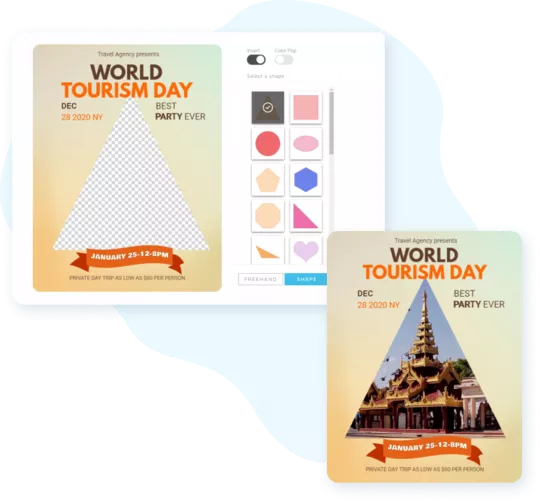
Take full creative control by shaping and cutting images the way you like with PosterMyWall’s masking tool.

Create clean cut-outs with PosterMyWall image masking

Take full creative control by shaping and cutting images the way you like with PosterMyWall’s masking tool.

Precisely cut and mask for flawless results

Spotlight the subject of your design; our masking tool removes distracting backgrounds or unwanted elements in a snap. Promoting a new product line or an exciting special offer? Make them stand out with perfect masking every time.

Spotlight the subject of your design; our masking tool removes distracting backgrounds or unwanted elements in a snap. Promoting a new product line or an exciting special offer? Make them stand out with perfect masking every time.

Transform images into dynamic designs

Say goodbye to boring images! Use the PosterMyWall masking tool to add bold cuts, creative backgrounds, and shapes to your designs. Add a new backdrop or mask them into text or shapes to make your design pop.

Say goodbye to boring images! Use the PosterMyWall masking tool to add bold cuts, creative backgrounds, and shapes to your designs. Add a new backdrop or mask them into text or shapes to make your design pop.

Remove backgrounds in one click with Premium

Want to get rid of distracting details in your designs? Seamlessly remove image backgrounds, even from the most detailed images, in just a single click. Pay once to unlock the remove background tool, unlimited videos and images, custom fonts and more.

Want to get rid of distracting details in your designs? Seamlessly remove image backgrounds, even from the most detailed images, in just a single click. Pay once to unlock the remove background tool, unlimited videos and images, custom fonts and more.

How to mask an image on PosterMyWall


Placeholder image




